Your data how you need it
Records leave Fieldmark® in open formats, whenever you ask for them. Who may export, edit, or see a record is set by role, and every edit records the person who did it and the time it was done.
Export from the notebook’s Export tab, three options:
- Full export. One ZIP file containing tabular data as CSV, photographs and attachments, spatial data as GeoJSON, KML, and GeoPackage, and a metadata file in RO-Crate JSON.
- Data export. One form’s records as CSV, chosen from a dropdown.
- Photo export. Photographs and attachments for one form or for the whole notebook, as a ZIP.
Exporting is a Manager-level action, and it keeps working after a notebook is closed.
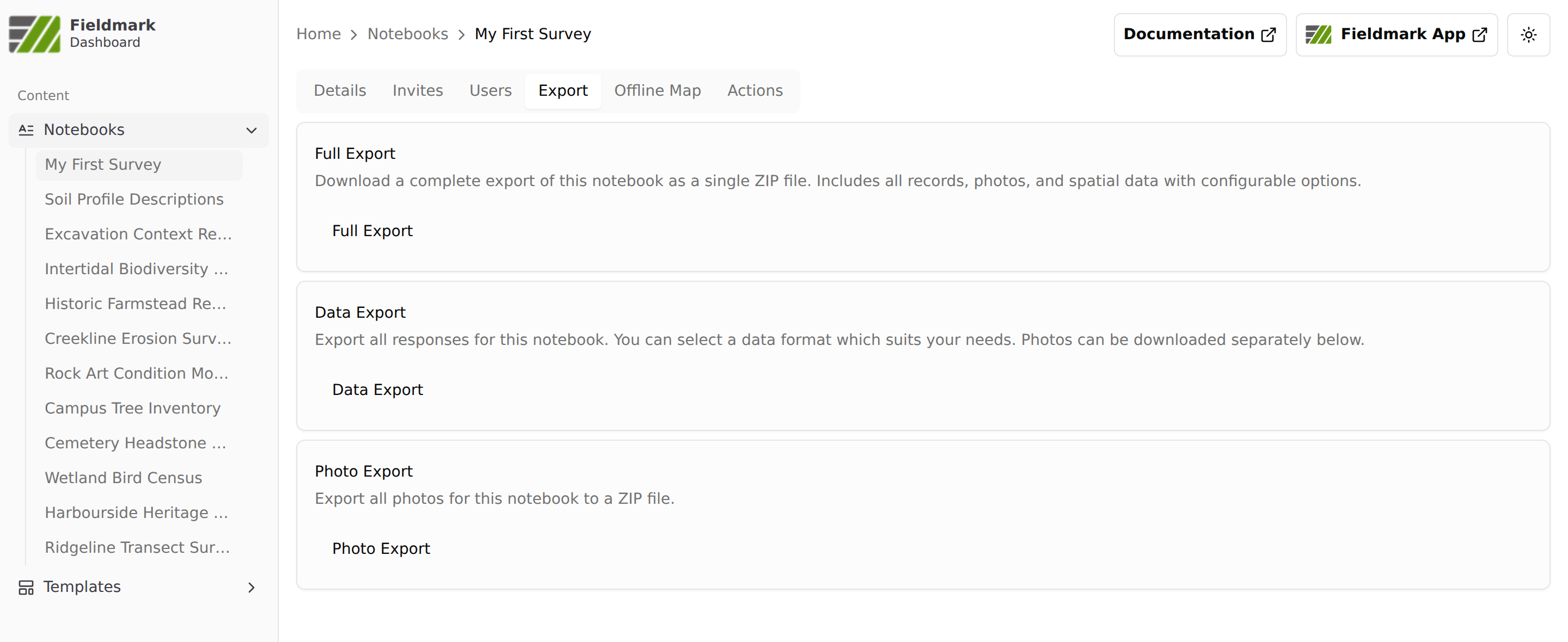
The Export tab in the Fieldmark Dashboard, on the notebook My First Survey.
Spatial data exports in three formats, and each suits a different consumer. KML opens in Google Earth and Google Maps, which is the easy way to share a survey with collaborators who do not use GIS software. GeoJSON is the format for technical collaborators who want to work with the data programmatically. GeoPackage is a single-file spatial database that opens directly in desktop GIS such as QGIS and ArcGIS.
Behind every notebook is a definition file in a standard, open format. It documents the field protocol and the data structure, and it can be exported alongside the data, so anyone who later works with the data can see how it was collected. More on the definition file as a record of the work under FAIR from the field.
Records can also be exported through the API, so a script or a scheduled job can pull them without anyone opening the Dashboard. Details are in the documentation.
See also
- Design once, run it every season for reusing a notebook design rather than rebuilding it.
- Shared on your terms for who may export, and for the open-source licence the way out rests on.
- Built to keep your records safe for revisions, the copy on every device, and what happens on the server.
- FAIR from the field for what the RO-Crate metadata file carries, the three levels of metadata behind it, and the notebook definition as a record of how the data were collected.
- Shaped to your protocol for the notebook the export comes out of.