Shared on your terms
Your data is yours. Access runs by invitation and by role, nothing is published anywhere, and there is no obligation to share a record, a notebook, or a dataset with anyone. More on research transparency and FAIR data.
Roles and teams
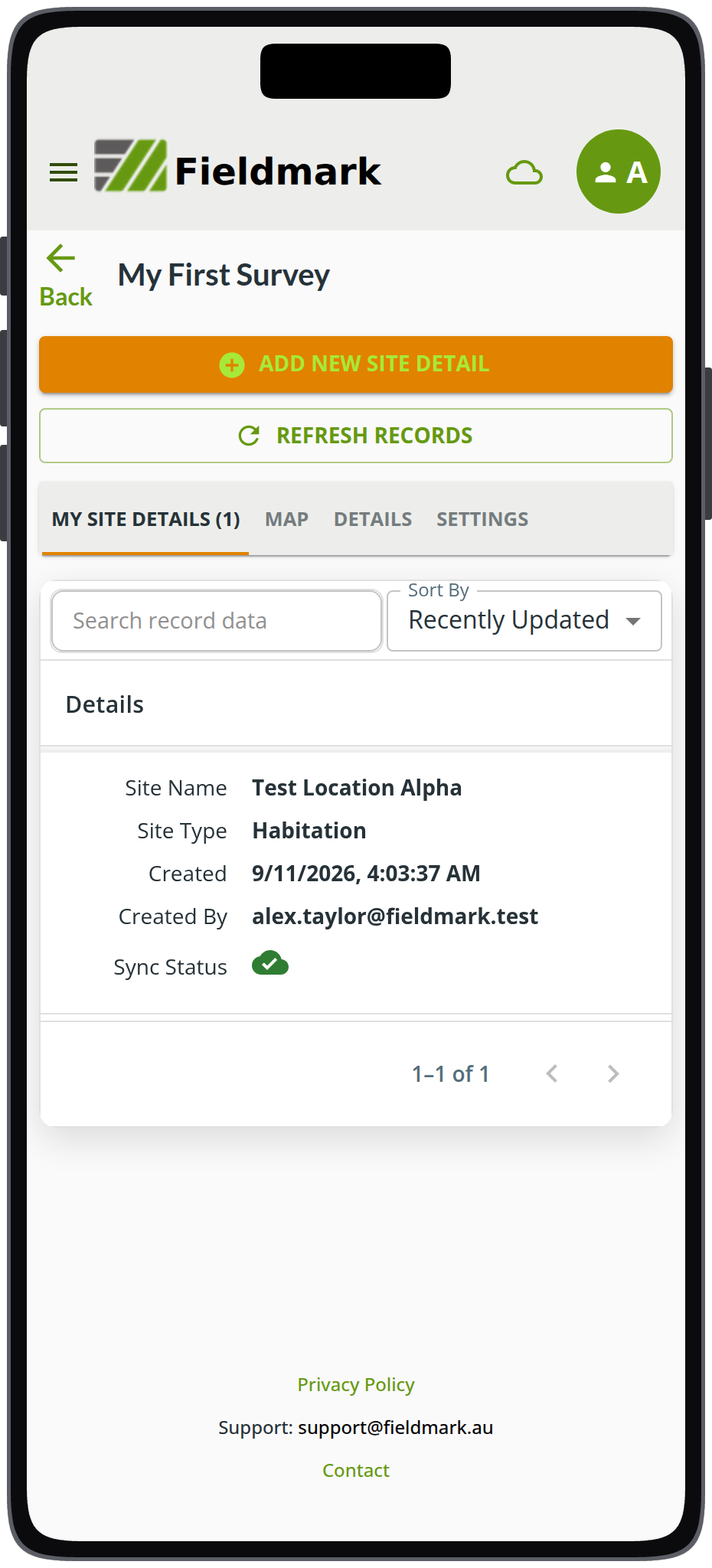
The record list for My First Survey, the quickstart tutorial’s notebook. Each record carries who created it, when, and its sync status, and the green cloud with a tick means the record has reached the server. The account shown is a documentation persona.
Access is role-based, at three levels: across the system, within a team, and on an individual notebook or template. Roles can be combined to fit how your organisation works. What each role permits is set out in the roles and permissions guide.
Teams are the main way to share notebooks and templates. A team owns its notebooks and templates, and team membership carries a matching role onto every notebook the team owns, so onboarding a new field worker is one action rather than one per notebook. A role assigned directly on a notebook can add permissions beyond what is inherited from the team. The member gets whichever grants more, the team role or the notebook role. Assigning a lower role directly on a notebook does not remove permissions inherited from the team.
People join a team, notebook, or template by invitation. On an enterprise deployment, accounts can also be created automatically when people first sign in through the institution’s single sign-on. An invitation carries a role, an expiry, and a maximum number of uses, and it can be handed over as a code, a link, or a QR code. The QR code is especially useful for onboarding multiple people to a team when they are present in person, as when fieldwork begins (internet access required).
A notebook can be closed when fieldwork ends: closed notebooks are read-only, still exportable, and can be reopened at any time. Every record shows who created it and when, in the app’s record list and in the exported data, so a notebook shared across a team stays accountable. More on revisions and the full history under Built to keep your records safe.
Ownership
Your notebooks and data belong to you, or to the organisation or team that holds your plan. Fieldmark® is built on FAIMS3, open source under the Apache 2 licence at https://github.com/FAIMS/FAIMS3, so you avoid vendor lock-in, have a say in development, and can develop your own features against the codebase, as CSIRO does with its Disaster Assessment Surveyor System. More on export and open source.
Signing in
Sign in with a Google account, with AAF using your Australian university credentials, or with a Fieldmark username and password. Enterprise deployments can use other single sign-on configurations as well, including Okta, OIDC, and SAML.
See also
- Design once, run it every season for templates, which carry roles of their own.
- Your data how you need it for export formats and taking the design with the data.
- FAIR from the field for metadata, identifiers, and what an openness mandate asks for.
- Built to keep your records safe for revisions, the copy on every device, and what happens on the server.
- Works offline for capture and sync, the devices Fieldmark runs on, and minimum versions.