Features
Offline collection and sync, notebooks shaped to your protocol, roles and permissions, a full revision history, and FAIR, analysis-ready export.
Fieldmark® consists of two components: the Dashboard, a web app for managing teams, users, and
notebooks, and the Fieldmark app, a mobile or web app for data collection. The app runs on
Android and iOS, installed from Google Play and the App Store, and in a desktop or mobile browser
at app.fieldmark.app (or a custom domain for enterprise clients).
Fieldmark does three things. In the Dashboard you design and deploy customised field data capture notebooks. In the app you collect records with a poor network or none. Records then sync across devices and back to the Dashboard for export.
Works offline
Activate a notebook in the Fieldmark mobile or web app while you are online and it downloads to the device. Records are captured with no connection and queued until a network appears. Sync is opportunistic, running whenever a network is available, and each record carries an indicator showing what has left the device and what has not.
More on offline capture and sync
Shaped to your protocol
One record holds structured data, free text, photographs and other media, and geospatial data, from a GPS fix to points, lines, and polygons drawn on a map. All of it is captured together and stays together, so a survey can be fully digital using a single app, with no additional digitisation or reconciliation afterwards. Even the notes you write on the back of the form or the margins of the page can be captured in annotations attached to any field.
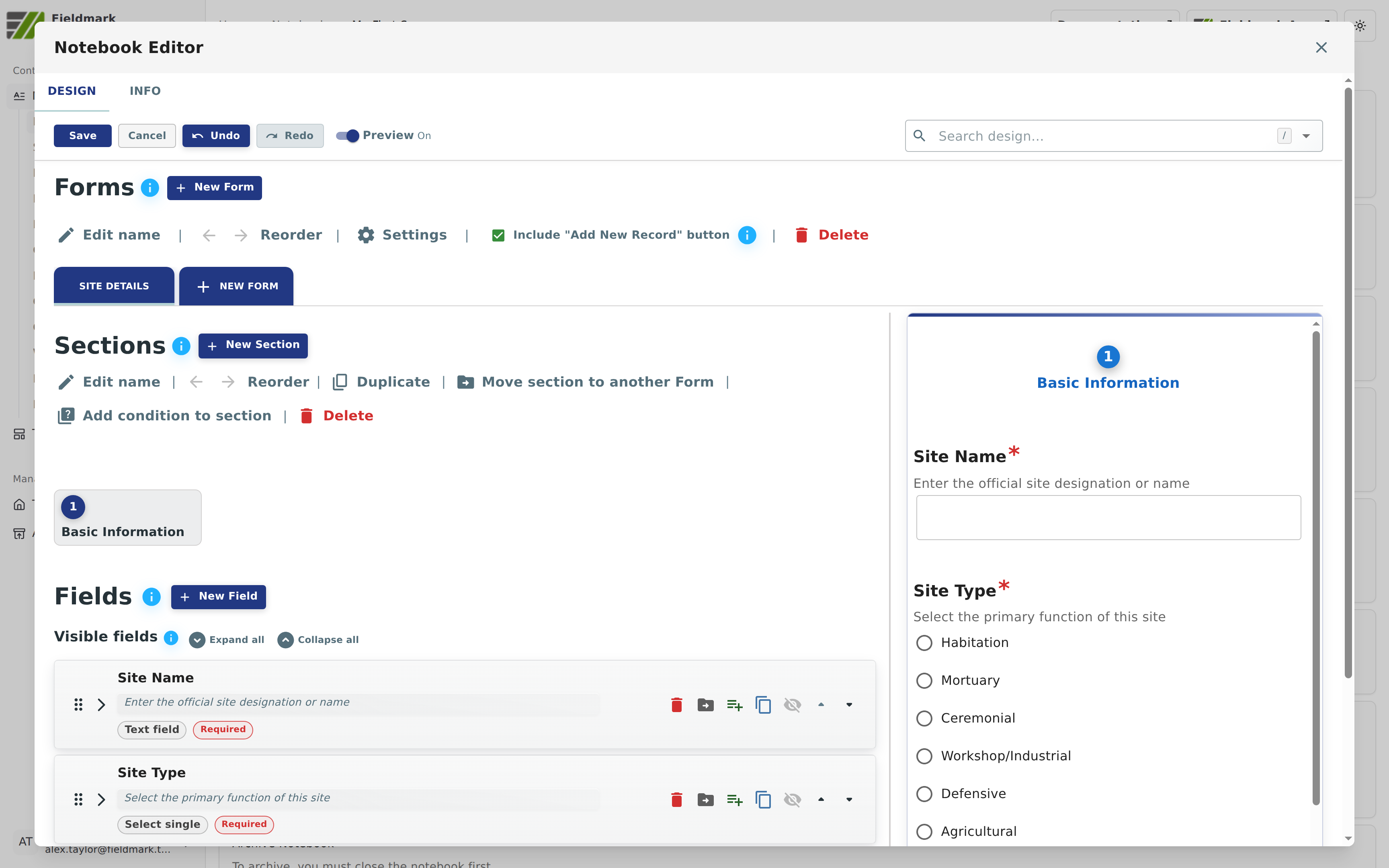
Notebooks are fully customisable. They are built in the Notebook Editor: one or more forms, each divided into sections, each section holding fields in the order data collectors will meet them. Conditional logic shows or hides fields based on earlier input, keeping long protocols compact on screen. Validation is designed for challenging fieldwork conditions, so a record is never lost because a value was not available at the time.
Design once, run it every season
Fieldwork repeats: the same protocol next season, at the next site, across a dozen teams who all need to record the same things the same way. Save a proven notebook as a template and the next deployment starts from it rather than from a blank page, carrying the forms, the fields, the validation, and the conditional logic across whole. Templates have roles of their own and can belong to a team, so the person who owns a protocol need not be the person who runs each deployment of it.
More on templates and repeated surveys
Your data how you need it
Back in the Dashboard, export data from the notebook's Export tab: structured data and text as CSV, points, lines, and polygons as GeoJSON, KML, or GeoPackage, and photographs or other attachments as ZIP files. Everything can also be bundled into a single archive with a metadata file in RO-Crate JSON, or you can pull records via the API.
More on export formats and the notebook definition
Shared on your terms
Access runs on three tiers of roles: system-wide, team, and notebook. Teams own notebooks and templates, so a new field assistant is onboarded once rather than once per notebook. People join by invitation, distributed as a code, a link, or a QR code. The data is yours, and the platform is open source, so you avoid vendor lock-in and have a say in development, or can develop your own features against the open-source code.
More on roles, teams, and access
Built to keep your records safe
Nothing is overwritten. Every edit to a record creates a new revision, with the person and time recorded against it, so the whole trail of changes stays with the record. Every device set to two-way sync holds its own copy of the records, offering redundancy, and the hosted service is backed up regularly and has been penetration tested by an external firm.
More on provenance, redundancy, and security
FAIR from the field
Your data is yours, and sharing it is your choice, but if your field research requires Findable, Accessible, Interoperable, and Reusable (FAIR) data or you work under an openness mandate, Fieldmark builds in FAIR data practices from the start, like metadata at notebook, record, and field level, staging for persistent identifiers, and export in open formats with an RO-Crate metadata file.