Works offline
Fieldwork often happens out of network range, so the device holds everything needed to keep working: the notebook, the records already collected or previously synced from other devices, and everything captured on the device since it went offline. Data capture, editing, photographs, GPS points, and cached map tiles all work with the connection off. Sync happens automatically when a network appears, with no user action needed.
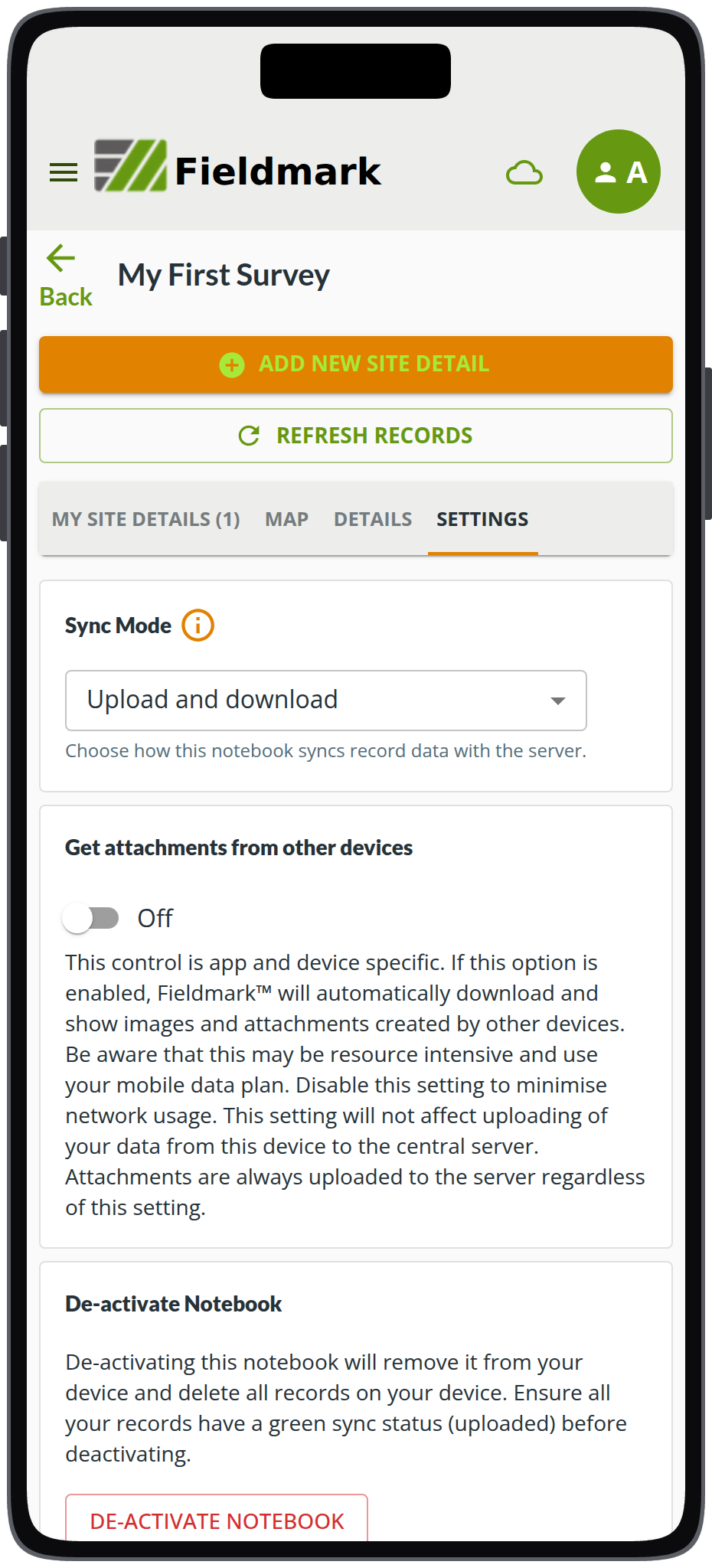
Notebook settings, with Sync Mode set to Upload and download. The notebook is My First Survey, from the quickstart tutorial.
Activate a notebook in the Fieldmark® app and it downloads to the device, along with any records already collected. From that point the app needs no connection in order to capture data. Records are created and edited entirely on the device, photographs and GPS points are stored with them, and everything is queued for sync.
Sync is opportunistic rather than scheduled. When the device reaches a network the queued changes upload, updates come down, and each record in the list carries a sync indicator so a user can see at a glance what has left the device and what has not.
Sync Mode is set per notebook on each device, on the notebook’s Settings tab in the app, so one phone can be set to upload only whilst another downloads the whole notebook. The same tab carries the toggle that selects whether or not attachments captured on other devices are saved locally (more redundancy, at the cost of storage and mobile data).
Map tiles can be cached before you leave: choose the region in the app and download MapTiler coverage for it. Map fields then draw on the cached tiles with no connection. A notebook can also carry a region defined in advance, and anyone activating that notebook will be prompted to download it.
Devices
Designing a notebook, managing people, and exporting data require a network connection and are better on a laptop. The Dashboard and the Notebook Editor work in a mobile browser, but they are easier to use with a larger screen and a keyboard.
Three things are worth doing on a phone or tablet rather than a laptop. QR and barcode scanning only work in the mobile apps. Photographs and GPS points are both better on a mobile device with a quality camera and a real GPS receiver.
Fieldmark supports Android 11 or later and iOS 15.5 or later. In a browser, it needs Chrome or Edge 107, Firefox 104, Safari 16, or later. On Android we recommend a mid-range or better phone or tablet, and any field device deserves a protective case.
See also
- Shaped to your protocol for how a notebook is built before it reaches the field.
- Your data how you need it for export formats and taking the design with the data.
- Shared on your terms for who may see and edit records, and for signing in.
- Built to keep your records safe for revisions, the copy on every device, and what happens on the server.